
UPDATED: Email Deliverability 101: A Guide for Sellers
Stop chasing a cold email boogeyman. In this guide, you'll learn how to determine if your domain has been burned and what to do next.
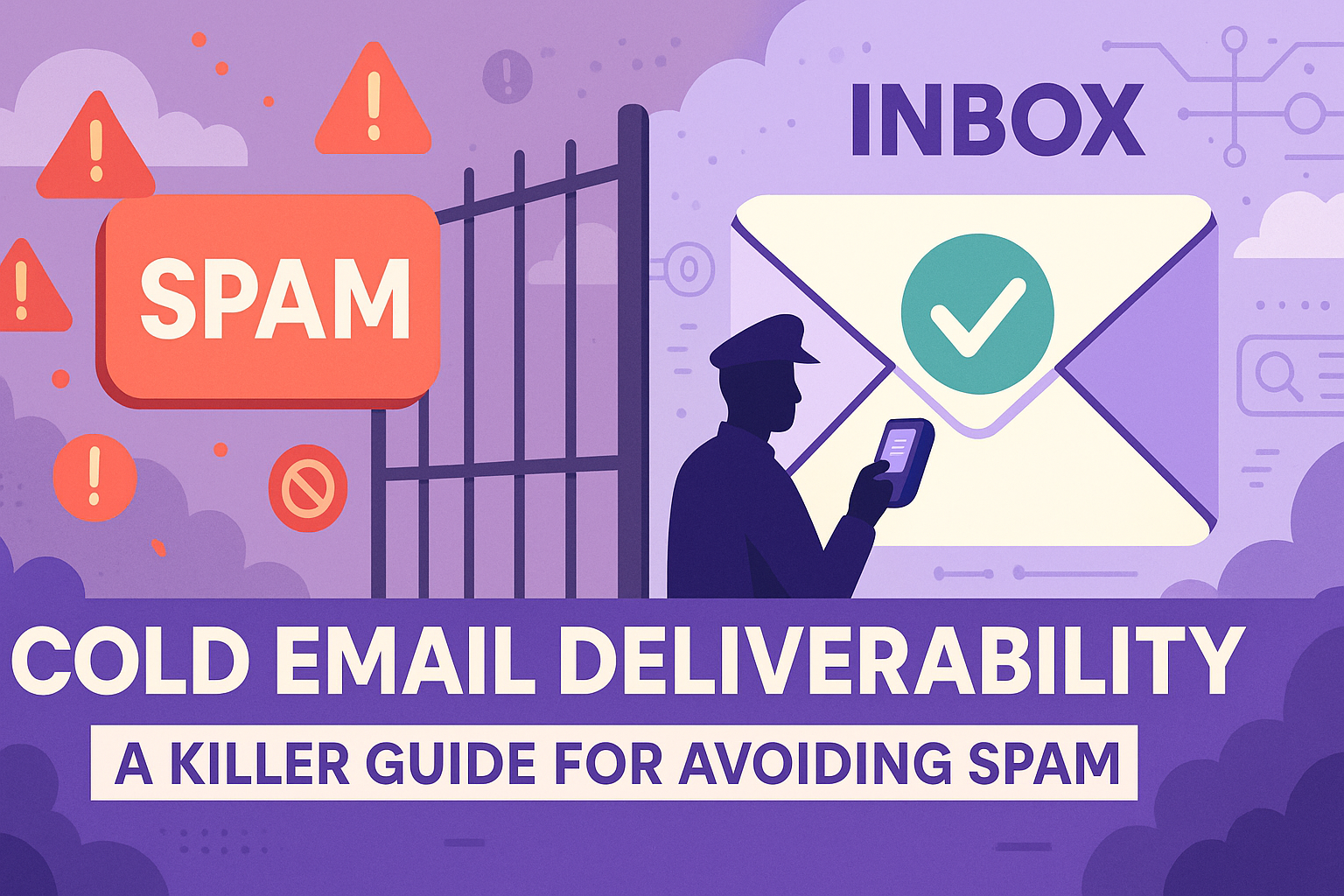
You build the perfect cold email campaign. You tee up a great list, you send them emails, and the only thing that you hear back is the chirping sound of crickets. If this is what you're running into, you might have a deliverability problem.
Cold email deliverability is a hot topic right now, and before you go chasing the email deliverability boogeyman, it's important to separate fact from fiction.
In this guide, we’re going to cover everything we’ve learned about email deliverability so that you don't make the same mistakes we’ve seen others make. Whether you're new to cold email or you're rotating 100 inboxes on 100 domains, this article is built to help.
Now, why do we care about email deliverability? Well, it's pretty simple. If we help you write an amazing email and it doesn't deliver, nothing really matters.
What we’ll cover
- Quick lessons you need to know
- Ensuring your primary domain isn’t landing in spam because of self-inflicted errors (checking your tech setup)
- Tools you can use to test your infrastructure and build a secondary infrastructure
- Purchasing domains and inboxes
- Warming inboxes
- The importance of redundancies
- Why you’ll burn your domain (it’s inevitable if you’re cold emailing)
- Managing volume and inbox rotation
Is this deliverability… or just bad messaging?
Before you torch a domain and spin up 10 more, sanity check what’s actually broken.
Ask yourself four simple questions:
Are you still getting Out of Office replies?
If OOOs are coming in at a normal rate, you’re probably delivering — people just aren’t replying.
Are your bounce rates under ~3–5%?
High bounce rates = bad data and a negative signal to inbox providers. Normal bounce rates → less likely a pure infra issue.
Did performance drop everywhere, or just on one sequence?
If one sequence tanked while others are fine, that’s messaging. If everything died at once, that’s more likely deliverability.
Did this happen right after a big change?
New domain, new tool, new list source, giant volume jump… those are all classic “we tripped a wire” events.
If:
- OOOs are healthy, bounces are low, and only a few sequences are dead → you have a messaging problem.
- OOOs disappear, GlockApps shows spam, and everything slows down at once → you have a deliverability problem.
Fix the right thing. Don’t rebuild your entire infrastructure because one bad template fell flat.
First, here are some quick things you need to know
1. Cold email deliverability is a longer and larger investment than you might be prepared for.
It's not as simple as “warming” an inbox on a secondary domain and hitting send on emails 2 weeks later. To reach the performance levels of a primary inbox, you need a secondary domain warming for about 6 months.
Putting fresh domains into market without adequate history of good behavior will lead to lower performance and a faster cycle to burning the domain. You need to be thinking about the long term — buying multiple domains and inboxes for redundancy. You will inevitably spin up a shadow IT department building out proper infrastructure.
2. Out of Office (OOO) messages are a better indicator that you're delivering than open tracking.
Open tracking hurts your chance of delivering and is an unreliable measurement. While in theory you could look at trend lines over time, there's a simpler way to consider deliverability.
Most inboxes are set up by default to not send OOO responses to emails in spam. So, if you're seeing OOO messages but not seeing replies, it's more likely a messaging issue than a deliverability issue.
3. No one actually knows if you're landing in spam.
Email warmers have an idea because they are on both sides of the transaction. But when you're actually reaching out to the market, there is no way to know if you're landing in their spam folder or their primary inbox.
If anyone tells you otherwise, they're a liar.
4. Email is an ecosystem.
Your domain's email traffic (e.g., from marketing, CS, and product) can all impact your chance of delivery.
A good example is a company like Uber. They send billions of transactions over email. This quality volume creates air cover for sellers. A seller, in theory, could blast everyone in their territory daily. The volume would look like a blip on the radar to Outlook and Gmail compared to the overall domain's volume of emails.
Search engine optimization and high credibility as a domain is also impactful here, as Google and Bing see your domain as a more reputable source.
This can also backfire. If you buy a new domain and there isn't a reputation or volume associated with it, the volume that does go out will see scrutiny. This is why, when warming and using secondary domains, it is crucial to slowly ramp the volume those inboxes are sending.
5. Domain redirects seem to be fine… for now.
When you set up a secondary domain and inboxes, it is common practice to redirect the website traffic from that secondary domain to your primary domain. This doesn't seem to impact performance currently.
But remember… this is a cat and mouse game. Google has the world’s most comprehensive crawl of the internet. It only takes one clever person on their spam detection team pushing a code change to disrupt the entire space.
6. High bounce rates can hose you.
Don’t trust that a data provider has the best email validation in market. Always run secondary validation on your list. If you surpass 5% bounce rate, you’re at risk.
Before You Start the Journey Down the Email Deliverability Rabbit Hole
Before you start buying tools, warming inboxes, and chasing a metric you can't reasonably measure, you need to make sure your technical setup is correct.
1) Check your DNS
Tools to use: MXToolbox.com
How to use: Run your domain through MXToolbox and confirm your SPF, DKIM, and DMARC records are present, valid, and not conflicting.
Your Domain Name System (DNS) is a tool like GoDaddy, Namecheap, etc., where you bought and host your domain. This needs to be properly connected to your email sending infrastructure to ensure you’re landing in the primary inbox.
2) Ensure your DMARC includes a rejection policy
Most domains technically “have DMARC,” but almost none are actually using it.
A DMARC record without a policy (or with p=none) is basically you telling inbox providers:
“Hey, here’s some authentication info… but do whatever you want with it.”
That might be fine for marketing emails or internal traffic, but for cold outbound it’s a problem.
A rejection policy p=reject or p=quarantine signals to inbox providers that you take authentication seriously, which improves trust and protects your domain reputation.
Here’s why this matters for deliverability:
- With no enforcement, bad actors can spoof your domain freely. If that happens, you look riskier to Gmail/Microsoft.
- With enforcement, inbox providers know any unauthenticated email is automatically blocked, which strengthens the trust score tied to your domain.
- With enforcement, you send a clear signal: “Only properly authenticated mail should be considered legitimate.”
Just make sure your SPF and DKIM are correct before flipping DMARC to reject. Otherwise you’re just rejecting your own mail — which is an embarrassing way to learn domain authentication.
In cold email, trust is everything. DMARC enforcement is one of the simplest, highest-leverage steps you can take to ensure inboxes trust you before you ever hit send.
3) Sending from Outlook to a Gmail recipient, or Gmail to an Outlook recipient, will hurt your delivery
Tools to use: Clay.com
How to use: Upload a lead list into a Clay table and enrich to see which inbox provider they use. If you’re on Gmail and 70% of your prospects are using Outlook, you might have problems.
This one surprises people, but it’s very real.
Microsoft and Google don’t just use different spam filters — they use entirely different philosophies. And historically, they do not play nicely together.
When you send:
- Outlook → Gmail
- Gmail → Outlook
…the receiving provider often applies extra scrutiny. Not because you did anything wrong, but because they fundamentally don’t trust each other’s authentication signals, sending patterns, or spam detection heuristics.
Here’s why this matters:
- Gmail is extremely strict about content patterns (tone, length, formatting), engagement, and domain history.
- Outlook is extremely strict about sending volume, velocity, and IP/domain reputation.
- When an email comes from “the other side,” both systems lean more conservative. Conservative = filtering.
It’s not a death sentence — plenty of cross-provider emails get through — but you will see lower placement compared to staying within the same ecosystem.
This is also why you’ll see “it delivers fine internally” but “goes cold when sent to prospects.” Internal = same infrastructure. External = a completely different risk calculation.
Your job isn’t to fight the filter. It’s to not trip it in the first place.
Shorter emails, lower volume, cleaner sequences, better authentication, and a healthy domain history all reduce the friction between the two systems.
In short: crossing the Gmail ↔ Outlook DMZ creates more risk, which means your margin for error shrinks. Keeping your behavior “boringly safe” becomes even more important.
4) Run an inbox placement test
Tools to use: GlockApps (or we vibe-coded a free tool)
How to use: Send a typical sales email you’d send to a seed inbox where its delivery-to-spam rate can be accurately measured.
Inbox placement tests are a great way to get an objective look at whether or not your emails are actually landing in spam. Because GlockApps owns the inboxes you’re sending to, they can send back an accurate measurement of landing in spam.
So, you're landing in spam. Now what?
1st – Getting the hang of your new email infrastructure tech
First, you'll want to spin up new secondary domains that, if visited, forward to your primary domain, with new inboxes to send out of from these new domains.
You'll want to get these inboxes warming immediately. (More on warming below.)
Tools to use: SmartLead, Instantly, SuperSend, EmailBison (agency-focused)
These tools make it easy to buy domains, inboxes, and optimize sending protocols, including rotating them.
When buying inboxes and domains, it's important to know that not all vendors are created equal. Some use different protocols for how they purchase and manage the inboxes. Others have a history of pooling users with bad actors on IP addresses.
The founder of EmailBison.com (a cold email infrastructure vendor) recommends looking at vendors that have a history of sharing testimonials. He particularly points to vendors such as:
- CheapInboxes.com
- Scaledmail.com
- Inboxedup.co
- Winnr.app
- Missioninbox.com
It's important to note: if you buy your inboxes and domains via a marketplace in a platform (e.g., SmartLead) your inboxes and domains will only be available in that platform. This can be fine if you're not concerned about owning the domain long term, but if the domain has lasting value to your brand and/or you're considering switching sending platforms at any point, you may want more control.
It’s also worth noting: you’ll see the opportunity to buy a dedicated IP, and if you don’t have a game plan for slowly ramping up the volume and long-term sending a high amount of volume, you should probably skip it.
Dedicated IPs sound like a premium option (“exclusive reputation!” “only your mail!”), but unless you’re sending massive enterprise-level volume, a dedicated IP is actually a liability.
Here’s why:
- IP reputation is built through volume. If you aren’t sending thousands of emails per day, your dedicated IP will look “cold” to inbox providers.
- Shared IPs look healthier. Reputable vendors aggregate good-quality senders together, creating the kind of natural, human, mixed-traffic pattern inbox filters expect to see.
- Dedicated = no buffer. If you mess up (bad ramp, a sequence misfires, volume spike), you take 100% of the hit. There’s no “air cover” from other senders.
Unless you have a full-time deliverability team and your volume looks like Stripe, Airbnb, or HubSpot marketing — skip the dedicated IP.
Now, let’s say you want more control and don’t want to have your domains trapped in a warming and sending platform.
If you want more control, you'll want to buy the domains yourself via a platform like Namecheap, Google Domains, GoDaddy, etc.
You'll then want to set up the inboxes on either Google or Outlook yourself. This can be a huge IT burden, which is part of the appeal behind tools like SuperSend's ability to run managed accounts directly within their platform.
Since SuperSend uses a managed services account with Microsoft, you don't run into log-out issues pausing campaigns and having to log into each individual account to reconnect them into your sending program.
Note: Avoid Pre-Warmed Domains
Some providers offer pre-warmed domains. These typically will not match your brand, as they were purchased by the vendor without any knowledge of you wanting to do business with them. So instead of a domain connected to Lavender, it might be proemails.biz. They'll also be warmed on content unrelated to your messaging. Both of these aspects make me hesitant to suggest them. While you might be able to get up and running quickly, the fastest option isn't always the best or most durable long term option for your GTM.
Warm Up
First, let’s define warming. Warming platforms use your inboxes to send fake email content between inboxes on the platform. The idea is to create fake traffic between the inboxes to help build a positive reputation for the domain and the inboxes.
Warming a domain and inbox is trickier than tools will lead you to believe. A freshly bought domain with brand-new inboxes should not rely on a 2-week warming cycle.
From our own testing, we have seen that a primary domain is 3x more effective than a secondary domain. This efficacy can last up to 6 months of warming. So while your primary might be risky, you can still de-risk it while you establish the proper redundancies in your email infrastructure.
Warming best practices:
- Warm the domain with 20–40 outbound emails per day.
- Keep a natural reply rate of 20–40% (you’ll want this to stay consistent when you go outbound).
- Don’t use the domain for outbound for 3 to 6 months.
- When you begin using the new domain, slowly ramp the outbound volume (1–3 per day → 3–5 per day → 5–10 per day → 10–20 per day, etc.).
- As outbound volume scales, warming volume should decrease while response rate for the warming activity should increase to offset outbound activities.
Warming isn’t only for your secondary domains. If you have a spam issue with your primary, put the inboxes into a warming network to allow their traffic to “normalize” for 30+ days. You don’t want to create spikes in volume; instead, you want to normalize the traffic.
I recognize the reality that you’ll still need to use your primary inbox. The answer here is to:
- Turn off automated campaigns.
- Only send 1:1 personalized outbound.
- Reduce the volume of activities happening while warming is ongoing.
- Focus on other channels (phone, LinkedIn, etc.) to make up for the volume.
Warming emails are typically work related nonsense. It's important that you use content that resembles your outbound as you warm the inbox. This will show the networks that the content you're sending is valuable and should not be marked as spam. If you don't do this, the change in content style will change how spam filters analyze the emails.
Warming also creates a lot of noise entering your inbox. Warmers allow you to assign a content tag to the emails. This means any email in your inbox will have the tag. So if the tag was Lavender-warmup, you could then create a content-based rule to sort the email into a folder, clearing up your primary inbox view.
Whatever you do, don’t mark those noisy emails as spam.
Launching After Warming
Redundancy matters
While warming volume needing to be adjusted was covered, you need to know why: a single inbox really shouldn’t send a high volume of outbound emails if it is expected to be used for a long time.
Modern email sending platforms solve this problem by rotating your email campaigns’ volume across multiple inboxes and domains. It’s called inbox rotation.
This is a great best practice as it also spreads the risk. If one domain or inbox gets shut down, you’ll still have delivering inboxes, so the campaign’s performance might take a hit but it won’t be entirely burned.
This is why redundancy is so important. You shouldn’t believe that buying one inbox or 10 inboxes on one domain is sufficient. You need multiple inboxes, across multiple domains, using Gmail, Outlook, and custom SMTP servers.
What burns your domain?
You’ll never truly know. It could be a number of things:
- A missing DMARC record
- A lack of variation in your content
- Using words or phrases that trigger spam filters (start an email with “Guaranteed free Viagra” and you’ll probably find the spam folder)
- Mailmeteor.com is a useful tool for checking copy against common spam trigger words
- Spikes in volume across your domain
- Low reply rates for a long time
- Too much HTML in your email (images, tracking pixels, links — yes, even in the signature)
- Spam complaints
- High bounce rates
All of these things can cause problems. The most common are missing DMARC policies, low reply rates, high bounce rates, and spam complaints.
You can’t control how recipients will receive your message, but you can take steps to improve this. Lavender’s recommendations are designed to improve response rates, and Ora’s default settings are designed to keep messaging variability above 90% for each email.
Even if you don’t use our products, be sure to use AI and Spyntax to create variability in your templating. Spyntax is the act of using variable fields inside your messaging to customize each message. Ideally it’s used to make the email more 1:1, but this can also be used to cycle out different types of CTAs and ways of saying static things within your messaging.
Bounce rates can be a silent killer of your email campaigns. Be sure to run validations on your email lists. Email data deteriorates quickly as folks change jobs.
Tools to use: NeverBounce or ZeroBounce
How to use: Upload your lead list into one of these tools and only send emails to the highest-quality emails. Data vendors will claim they validate, but it’s always good to run a second validation.
It’s also important when testing new messaging to slowly roll it out. If a message isn’t going to work, you don’t want to keep this messaging in market for long.
At any given time, you should be running multiple experiments so that you can constantly evolve your messaging to improve response rates, but also to ensure bad messaging isn’t going out at an overly aggressive scale.
Schedule weekly check-ins on your messaging to check which experiments are working so you can double down and continue to test concepts that are working.
No matter how hard you try, it is inevitable that you’ll email the wrong person, with the wrong message, at the wrong time (maybe even just catching them on a bad day). This can lead to getting marked as spam and killing the domain’s deliverability. If a campaign was working and suddenly stops, this is a sign to rotate the domain out and let it rehabilitate on 100% warming emails.
Quick deliverability troubleshooting playbook
When something feels off, use this as a starting point:
Symptom: OOOs suddenly drop to zero, replies tank across all campaigns
Action:
- Check SPF/DKIM/DMARC
- Run a GlockApps test
- Cut volume by 50% on affected domains and shift volume to secondary domains
- Move the stressed domain to more warming / fewer cold sends
Symptom: Bounce rate jumps above 5–7% on a new list
Action:
- Stop sending to that list
- Run it through a validator (NeverBounce / ZeroBounce)
- Only send to “valid” results going forward
Symptom: Gmail is fine, Outlook is brutal (or vice versa)
Action:
- Shorten emails, remove images and links, lower daily volume to that provider’s users
- Consider a sender hosted on the same provider as your ICP (e.g., Outlook→Outlook)
Symptom: One sequence randomly dies, others still perform
Action:
- Treat it as a messaging issue
- Rewrite subject and opener, soften CTA, and re-launch at low volume before scaling
You won’t catch everything with a simple checklist, but you’ll avoid the most expensive mistakes.
Coordinate with the rest of your company
Your domain reputation isn’t just sales. It’s everyone sending from @yourcompany.com
A few simple rules:
- Don’t schedule big outbound pushes at the same time as product announcements, billing updates, or newsletters.
- Make sure marketing isn’t blasting unengaged lists while you’re trying to repair a domain.
- Honor opt-outs globally. If someone unsubscribes from marketing and still gets hammered by sales, spam complaints go up.
- Chat with CS and product about heavy automated emails (alerts, notifications, etc.) so you don’t create massive, weird volume spikes.
Deliverability isn’t something to hack — it’s a big lift
Most teams treat deliverability like a switch they can flip:
- “Just warm the inbox.”
- “Just buy a new domain.”
- “Just rotate more often.”
That’s not how this works.
Deliverability is the outcome of three things working together:
- Infrastructure: SPF, DKIM, DMARC, DNS, healthy domains
- Behavior: Volume, ramp speed, sending patterns, list quality
- Messaging: Short, clear, human emails that get replies
Better emails → better engagement → better reputation → better deliverability → more pipeline.
You will burn a domain at some point if you’re sending cold email at scale. That’s why redundancy, rotation, and smart behavior matter more than any one tool.
Get the basics right.
Send like a human.
Respect the inbox.
Everything else is just optimization.