
Open Tracking
👀 What Is Open Tracking?
When enabled in your Settings, Lavender uses a tracking pixel to detect when your emails are opened.
Here’s how it works:
- A small, invisible image (pixel) is embedded in your email
- When the email is opened and the image loads, the open is tracked
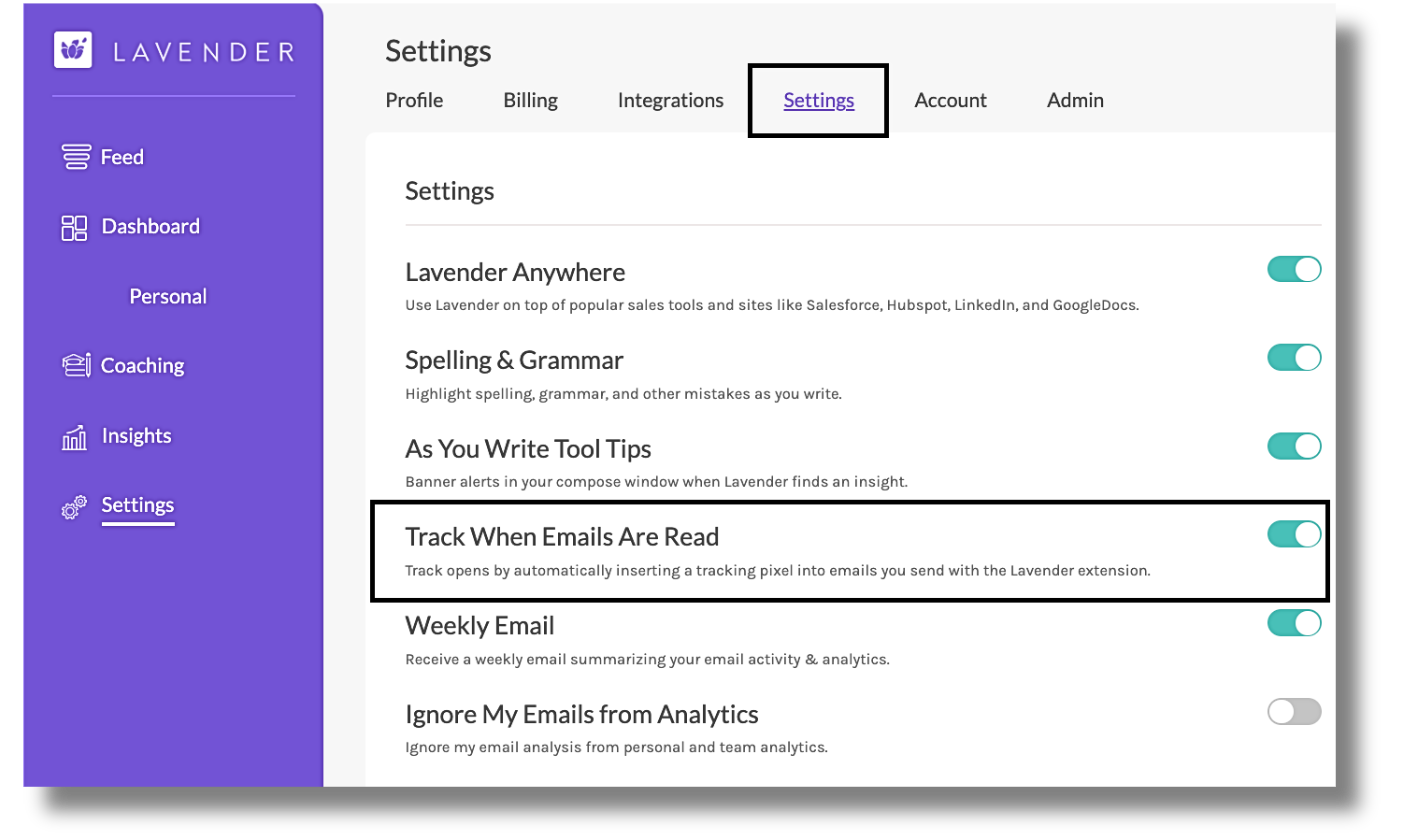
Lavender can track when your emails are read when toggled on in your Settings.
⚠️ What Can Interfere with Tracking?
Open tracking isn’t foolproof — there are a few things that can block or prevent Lavender from detecting opens:
Common blockers:
- Pixel blockers (extensions like Superhuman, Apple Mail Privacy Protection, etc.)
- Outlook — tracking pixels are blocked by default
- Outreach users — Lavender defers to Outreach’s tracking pixel and does not insert our own
Other reasons opens may not register:
- Your email was too short or nearly blank
- The email was forwarded to someone else
- You sent the email from a mobile device or a browser without the Lavender extension
- The tracking pixel was blocked by the recipient’s system or app
📊 Where to View Open Tracking Data (Open Awareness)
You can view your tracked email data in the Lavender Dashboard:
Navigate to: Dashboard → Personal → Open Awareness
You’ll see:
- Subject lines + recipient details
- Dates the emails were sent
- Status: Unopened, Opened, or Replied
- Average writing/reading time
- Lavender scores for each email
You can also filter the results by status to see only unopened, opened, or replied emails.
Note: This is not real-time data. It may take a few minutes to update.
✅ TL;DR
✅ Works When…
❌ Doesn’t Work When…
Pixel loads in recipient’s inbox
Outlook or pixel blockers block it
Sent from Chrome w/ Lavender
Sent via mobile or without Lavender
Not using Outreach
Outreach manages its own tracking
Need help understanding your Open Awareness stats?
Shoot us a note at support@lavender.ai — we’re happy to help! 💜