

Product Help
The Coaching Tab
Now that we've covered the Feed let's look at the Coaching section of your Dashboard.
The Coaching Studio provides a breakdown via three categories: Needs Work, Almost There, and Ready.
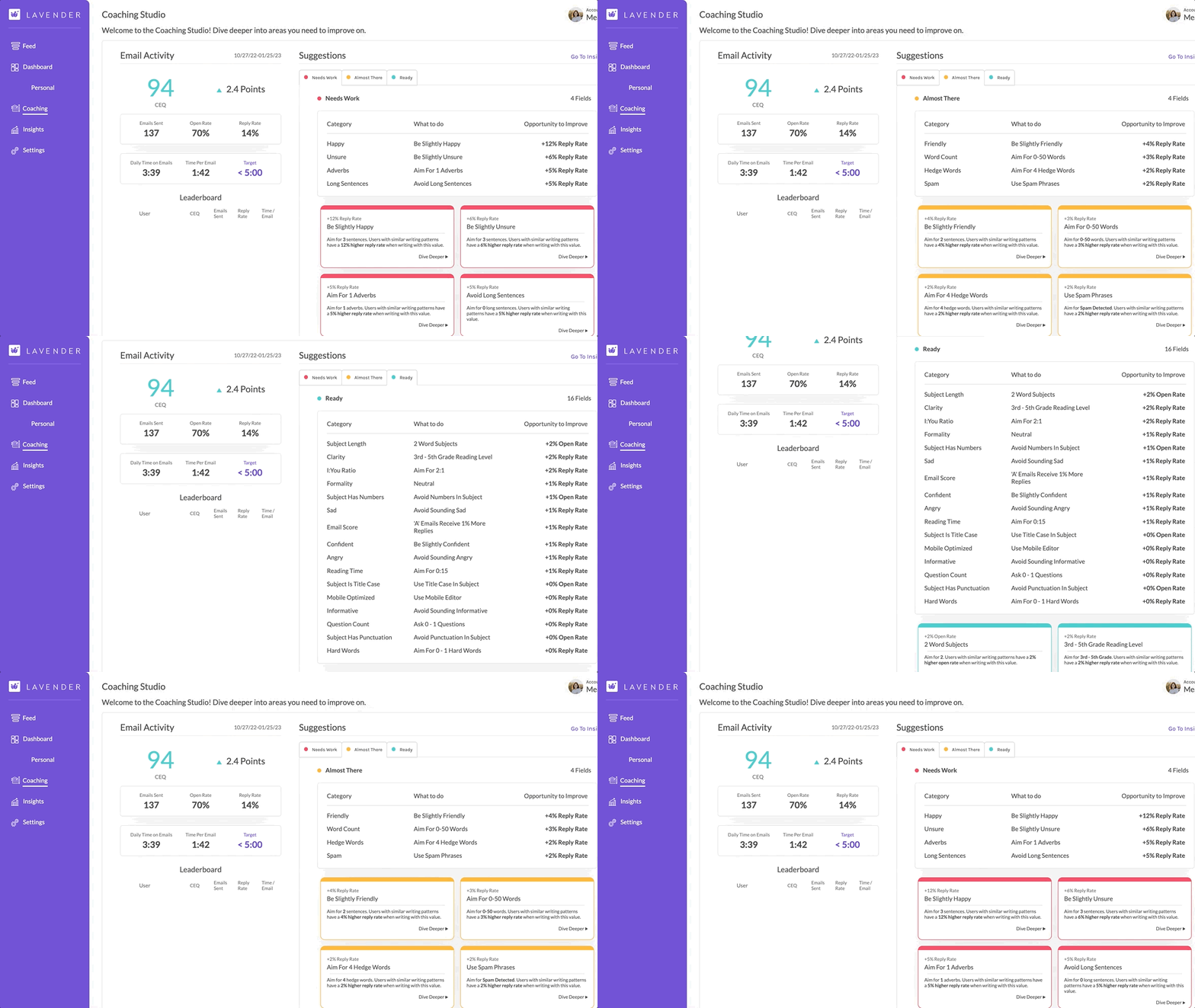
Optimize your Coaching tab by using it to:
- Review suggestions on how to improve your writing.
- Review your writing time, total emails sent, and your open/reply rate.
Once you click on a suggestion, you can view a more detailed breakdown.
If you want to view them all, click Next.
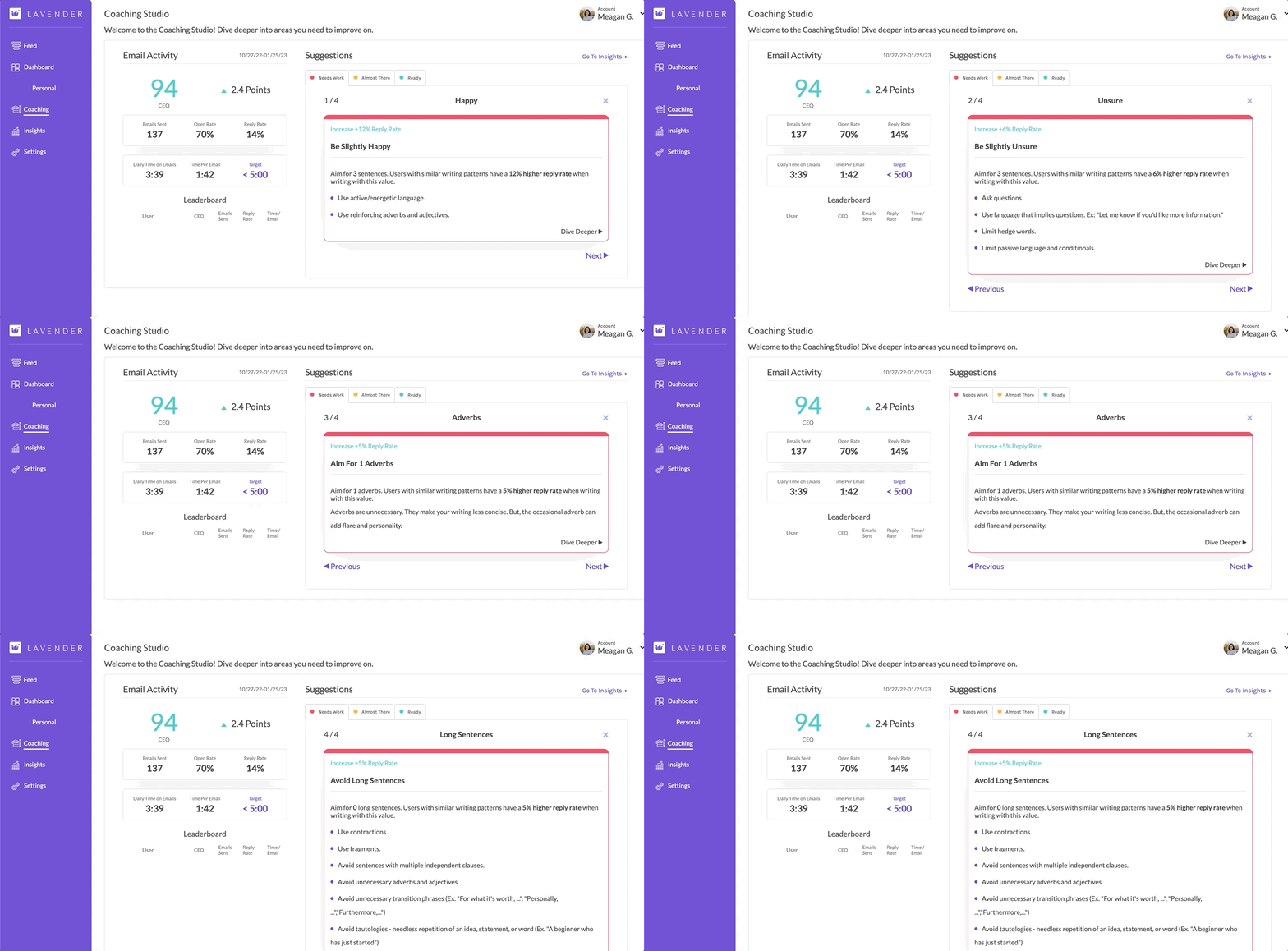
Email Activity
You also have access to the email activity on the left-hand side, which shows:
- Number of emails sent
- Open rate
- Reply rate
- Daily time on emails
- Time per email
If you're using Lavender Teams...
You'll also see a Leaderboard where you can compare the stats of everyone on your team.
Think of Coaching as your place for detailed suggestions and a quick look into your email activity.
Next, we'll review the Insights tab.