
Product Help
ChatGPT & Lavender
✨ Why Use ChatGPT with Lavender?
Lavender + ChatGPT helps you:
- Generate ideas when you're stuck
- Research personas or pain points on the fly
- Draft email copy without switching tabs
- Optimize ChatGPT-generated emails using Lavender’s Email Coach
All within your inbox — no extra tools or windows needed.
How to Access ChatGPT in Lavender
- Open your email composer
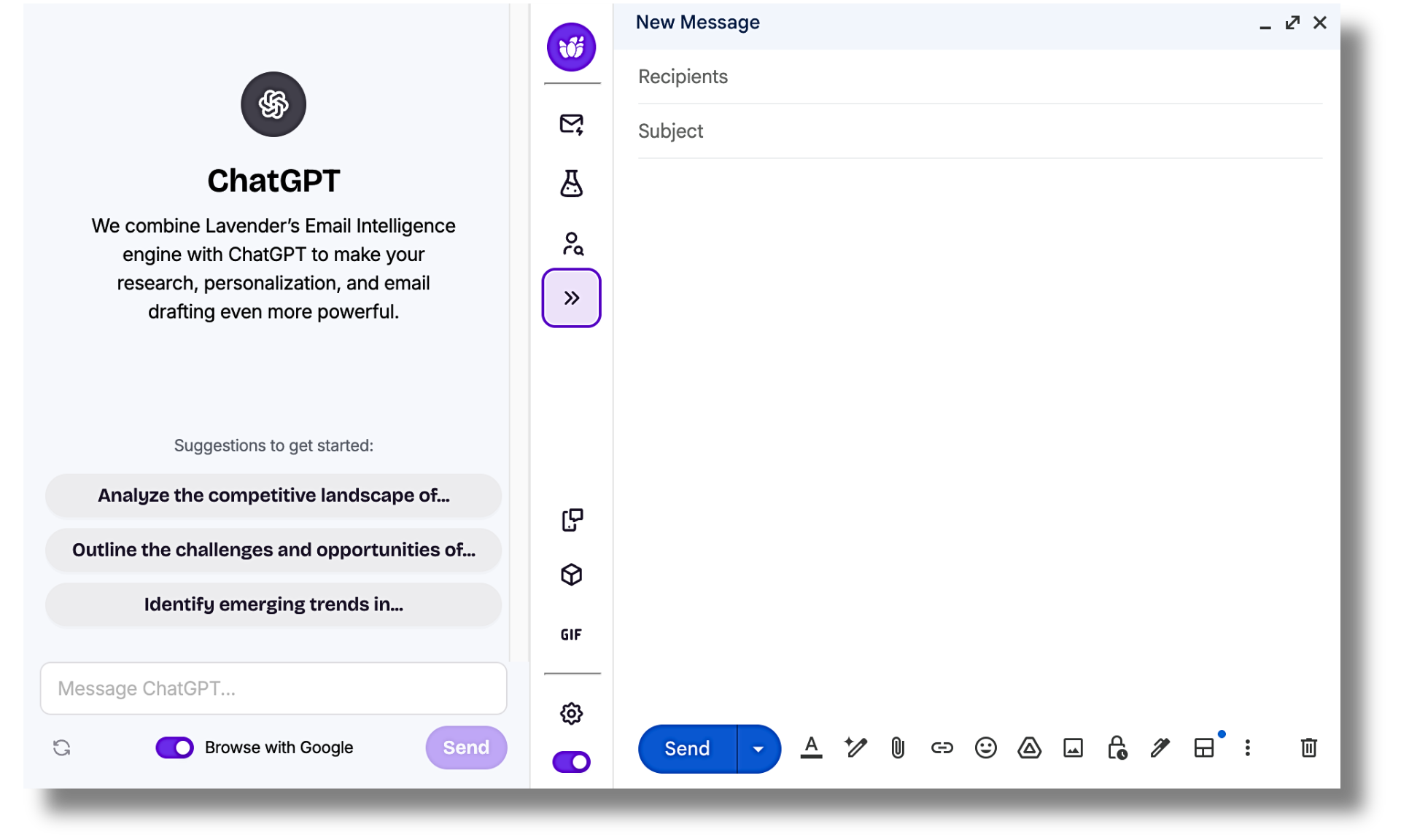
- Click the ChatGPT icon inside the Lavender extension
- A chat window will appear with helpful prompts to get started
- Example: “Write an intro email for a Director of RevOps”
- Ask ChatGPT to help with intros, challenges, hooks, and more
✍️ How It Works
ChatGPT will generate a response — often longer and more formal than ideal.
This is where Lavender jumps in:
- Lavender scores the email directly in the chat window
- Suggestions are shown with your Email Score
- Use Boost Score or select individual fixes to improve the copy
Common Fixes Lavender May Suggest:
- Shortening subject lines or paragraphs
- Simplifying complex sentences
- Using less formal language
- Reducing complexity
...and more!
📧 Using the Improved Email
Once you're happy with the AI-generated email:
- Copy the improved version from ChatGPT
- Paste it into your email draft
- Lavender will rescore and offer additional optimization tips
⚠️ Note: ChatGPT works best with specific prompts. Lavender helps refine, simplify, and align that output with best practices.
💡 Still have questions about ChatGPT and Lavender?
Send us a note at support@lavender.ai and we'll be happy to answer them!